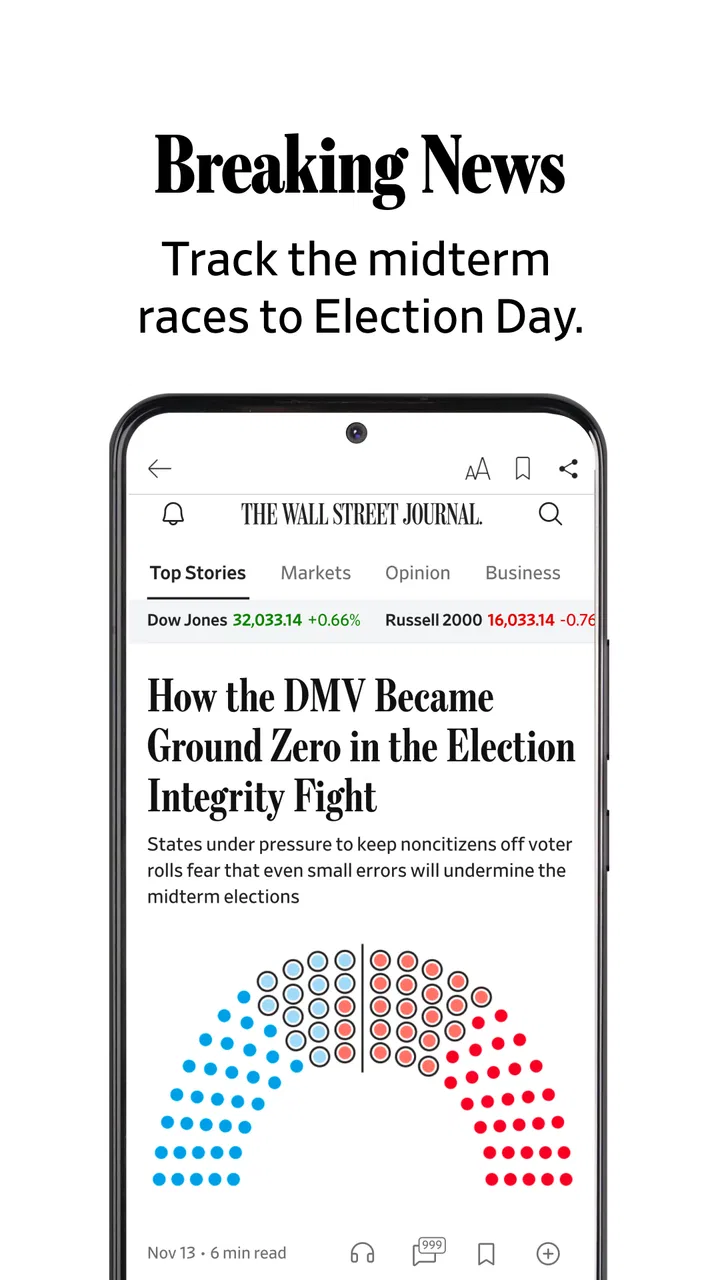
The Wall Street Journal. News
- 4.2
- Rating
- 5.00M
- Installs
- Free
- Price

 Analysis by App-foxy
The Wall Street Journal app made a strong first impression for me because it turns a broad business newspaper into something I can check in short, purposeful visits. Instead of opening a general news feed and hoping the important stories rise to the top, I can go straight to business, markets, global headlines, and breaking developments. That focus is the main reason to keep it installed. It is not trying to be an all-purpose social feed or a casual headline browser; it is a dedicated news and magazine app from Dow Jones & Company, Inc., built for readers who want a more concentrated view of the world.
After using it beyond the initial novelty, I found the real question was not whether it could deliver interesting stories. It clearly can. The more useful question is whether its coverage earns a regular place in my routine when other news apps, browser tabs, newsletters, and free sources already compete for attention. My answer is positive, but conditional. It works best when I treat it as a deliberate source for business and market context rather than as my only destination for every kind of news.
What makes the first week appealing
The first week is easy to enjoy because the app gives me a clear reason to open it. The store summary describes award-winning business and markets coverage, breaking news, and global headlines, and that combination is reflected in the way I use it: I can scan the major developments, then spend more time on the stories that affect companies, investors, workers, or the wider economy. The experience feels more purposeful than endlessly scrolling through mixed headlines.
You May Also Like

 Blood Strike: 2.5 Anniversary
Blood Strike’s Loadouts Turn Every Drop Into a Tactical Gamble
A close look at Blood Strike’s custom loadouts: how fast access to signature weapons reshapes its battle royale rhythm, rewards preparation, and narrows the gap between fights.

 Pandora - Music & Podcasts
Pandora’s Music Is Easy to Start, but Harder to Recover
Pandora’s strength is its low-effort path from a seed to a station. Its weak spot is how much confidence it asks you to place in connection, setup, and quiet recovery.

 8 Ball Pool
 Is Built on Rivalries, Rematches, and Routine
A close look at the rivalries, rematches, shared routines, and unanswered safety questions that turn a quick pool match into a persistent mobile community.

 Samsung Music
’s Quiet Strength Is Playing What You Already Own
Its reach comes less from spectacle than from dependable access to a personal library. That simplicity is both the app’s strongest retention engine and its ceiling.

 AccuWeather: Weather Radar
AccuWeather Review: A Quick, Clear Forecast for Everyday Decisions
For everyday plans, the best forecast is the one you can understand quickly. AccuWeather makes rain timing, radar, and local conditions easy to act on, with a few trade-offs.

 Hill Climb Racing
Why Hill Climb Racing Still Turns Crashes Into One More Run
A tiny car, a bumpy hill and one more upgrade: Hill Climb Racing keeps resurfacing because its simple chaos makes every near-miss feel personal.
More From Our News Desk
View All News


I especially appreciate the difference between a quick check and a deeper reading session. During a busy morning, I might open the app to understand what moved markets or which global event deserves attention. Later, when I have more time, I can read a longer report and connect it with the surrounding business context. That two-speed usefulness gives the app more staying power than a news service that only works when I have twenty minutes available.
A realistic everyday scenario is a workday commute or a short break before a meeting. I can use a few minutes to catch up on major headlines, identify a topic that may affect my industry, and return to it later when I can read carefully. The app is particularly suitable for people who want their news habit to support conversations about companies, economic conditions, markets, and international events rather than simply fill spare time.
The audience is wider than professional investors, though. I found the coverage useful for anyone trying to understand why a company is changing direction, why a market is reacting, or how an international event may have business consequences. A student studying economics, a manager following an industry, or a reader who wants more context than a short social post can offer may all find a practical role for it.
Its reputation is also visible in the store response: the app holds an average rating of 4.3 from around 86 thousand ratings, with more than 5 million installs. Those figures do not guarantee that every reader will enjoy the experience, but they do suggest that it has become a familiar destination for a substantial audience. I would not choose it solely because of those numbers, yet they fit my impression that this is an established news product rather than a temporary headline experiment.
The free download lowers the barrier to trying it, which is helpful because news preferences are personal. However, the presence of in-app purchases ranging from $0.99 to $399.99 per item means I would pay attention to the subscription or purchase screen before assuming that all of the reading experience is included at no cost. The app can be installed for free, but “free to install” and “free access to everything” are not the same thing.
How it compares with ordinary news alternatives
Compared with a general news aggregator, this app feels more coherent. Aggregators are convenient when I want many viewpoints in one place, but they can also make the news feel like a pile of disconnected alerts. The Journal’s advantage is editorial direction: I open it with an expectation that business, markets, and global developments will receive serious attention. That focus saves time when those subjects are exactly what I need.
Compared with a social feed, the difference is even sharper. Social platforms are useful for discovering what people are discussing, but they often mix commentary, reaction, promotion, and reporting. I would use them to see the temperature of a conversation, not as my main way to understand a complicated financial or international story. This app is better when I want to move from “something is happening” to “what happened, and why does it matter?”
Compared with a free general newspaper app, the trade-off is specialization. A broad free service may be better for local updates, entertainment, sports, lifestyle coverage, or a wider range of quick headlines. I would not install this expecting it to replace every other source. Its value comes from the depth and relevance of its business-oriented coverage, so readers whose interests rarely touch those areas may find the narrower focus less rewarding.
Small habits that improve the first-week experience
My first useful habit was to avoid treating every alert or headline as an assignment. I open the app at chosen points in the day instead of allowing news to interrupt every task. That makes the coverage feel informative rather than exhausting. A short morning scan and one deliberate reading session later on are more sustainable for me than repeatedly checking the same developing stories.
A second habit is to read for connections, not just isolated facts. When a story concerns a company, I ask what it says about its industry, employees, customers, or competitors. When it concerns markets, I look for the broader economic or geopolitical context. This approach makes the app more valuable than a headline list because I am using its coverage to build understanding rather than collect updates.
I also recommend deciding early whether the app is mainly for quick awareness or serious reading. If I expect every visit to provide a complete briefing, I can become frustrated by the amount of material. If I use it as a dependable place to choose the most relevant stories and then read selectively, the experience is calmer and more useful.
Why the value changes after the first month
Novelty fades quickly in news apps. After a month, the question becomes whether the service helps me form a repeatable information habit. For me, the answer depends on the quality of the routine. The app earns its place when I use it to follow themes over time: a company’s strategy, an industry shift, changing economic conditions, or an international issue with commercial consequences. It is less compelling when I open it without a purpose and simply consume whatever appears first.
The strongest long-term benefit is continuity. A single headline may tell me what happened today, but regular reading helps me notice how a story develops. That is especially important in business news, where the immediate announcement is often only the beginning. The consequences may involve management decisions, market expectations, regulation, supply chains, or consumer behavior. A recurring visit to the same focused source makes those links easier to follow than a series of unrelated snippets.
I find the app most useful when I pair it with a personal question. Before opening it, I might ask what changed in the markets, what businesses are responding to, or which global event could affect my work. This prevents passive scrolling and turns the app into a research starting point. It is a simple workflow, but it produces more value than trying to read everything.
Another practical use is preparation. Before a meeting, interview, class, or trip involving a particular industry or region, I can spend time reviewing relevant coverage and arrive with better context. I would still verify important decisions through primary documents or specialist sources, but the app can help me understand the vocabulary and main forces shaping a topic. That makes it useful even when I am not a daily market watcher.
There is also a trade-off between breadth and attention. A large volume of coverage can help me discover subjects I would otherwise miss, but it can make the app feel demanding. I have to choose what deserves my time. That is not necessarily a flaw; serious news always requires selection. Still, readers who want a simple, low-effort digest may prefer a newsletter or a lightweight headline app that makes fewer demands.
The age rating is Everyone 10+, which makes the app broadly suitable for older children, teenagers, and adults in terms of its store classification. In practice, I would judge suitability by maturity and interest rather than age alone. Business and market reporting can involve difficult economic events, conflict, layoffs, or financial risk. A younger reader may need help interpreting that material, while an adult reader may appreciate the chance to discuss it critically instead of taking every headline at face value.
Who should keep it, and who should move on
I would recommend keeping it installed if you regularly need business reporting, market awareness, or global news with an economic angle. It is also a good fit if you prefer opening one focused publication rather than sorting through a mixed stream of sources. The app makes sense for professionals, students, entrepreneurs, investors, and curious readers who want a more structured news habit.
I would skip it if your main interests are local news, entertainment, sports, personal technology, or lifestyle coverage. A general news app will probably give you better range. I would also hesitate if you only want entirely free reading and do not want to think about in-app purchase access. The free installation is convenient, but the purchase range means the cost question deserves attention before making it the center of your routine.
It may also be the wrong choice for someone who wants instant, unfiltered reaction. The Journal is more useful for reporting and context than for watching a live social conversation develop. If your priority is seeing every rumor, opinion, or user comment as quickly as possible, another kind of service will feel more immediate. I prefer this app when accuracy, relevance, and explanation matter more than being first to repeat a claim.
Maintenance, fatigue, and the cost of staying informed
The maintenance burden is not technical so much as mental. News changes constantly, and a focused business publication can create the feeling that I should always be catching up. I have to manage my attention, decide when to read, and accept that I will miss some stories. Without those boundaries, the app can become another source of background anxiety rather than a useful tool.
My best solution is to give it a defined role. I use it for important business and global developments, then rely on other sources only when I need a different perspective or a specialized subject. This division keeps the app from becoming an obligation. It also reduces the temptation to confuse frequent checking with genuine understanding.
One source of fatigue is repetition during fast-moving events. Breaking news can evolve in small increments, and several updates may feel similar when read close together. I get more from waiting until I have enough time to absorb the change, unless the event directly affects my work or decisions. The app is valuable for staying informed, but not every update deserves immediate attention.
Another source of fatigue is the emotional weight of constant market and global coverage. Even when the reporting is relevant, a steady stream of downturns, crises, corporate conflict, and political uncertainty can make the day feel narrower than it is. I balance the app with offline activities and non-news reading. That is not a criticism unique to this product, but its concentrated subject matter makes the effect noticeable.
There is also a financial maintenance question. Because the app includes in-app purchases, I would review exactly what access I am receiving and whether the reading habit justifies the ongoing expense before committing to anything. A reader who uses it several times a week for work or study may see clear value. Someone who opens it only during major events may be better served by using the free portions available and avoiding a recurring commitment.
The current version is 6.33.0.24049, and the app supports Android 7.0 and later. That makes it accessible on many older Android devices, which I see as a practical advantage for readers who do not upgrade phones frequently. Still, the version number alone does not determine how pleasant it will feel on every device. Screen size, performance, notification settings, and reading comfort can all affect the experience, so I would test it on the phone I actually plan to use rather than assuming every setup will feel identical.
How I prevent the habit from becoming tiring
I separate scanning from reading. A scan answers whether anything important happened; reading is reserved for stories that genuinely affect my interests. This simple distinction reduces the pressure to finish every item. It also helps me remember more, because I am not trying to process a constant stream of articles at the same depth.
I also revisit topics rather than chasing every headline. If I am following a company or market issue, I look for the meaningful changes and ignore minor repetitions. That makes the app feel like a continuing briefing instead of a series of interruptions. The most valuable use is often not the first article, but the ability to understand what has changed since the last time I looked.
Finally, I keep expectations realistic. No single publication can provide every viewpoint or replace primary sources, specialist analysis, and local reporting. I use this app as a strong anchor for business and global news, then add other sources when the subject demands it. That approach gives me confidence without pretending that one app can explain the entire world.
My long-term verdict on The Wall Street Journal
After the first-week appeal fades, this app still earns space on my phone when I have a continuing reason to follow business, markets, and global affairs. Its lasting value comes from focus and context, not from novelty. I can build a manageable routine around it, use it to prepare for real conversations and decisions, and return to developing stories without relying on a chaotic social feed.
It is not a universal news replacement. Readers seeking local coverage, broad entertainment sections, or a completely free and casual experience should look elsewhere. The purchase structure also means I would make an informed decision about access rather than assuming that installation settles the cost. Those limitations are important because the app’s strengths are strongest for a specific kind of reader.
For me, the deciding factor is recurring usefulness. I keep it when it helps me understand why a headline matters, not merely that it happened. I would recommend trying it if you want a focused business news app and are willing to maintain a selective reading habit. If that describes you, The Wall Street Journal can become a dependable part of your week instead of another app opened twice and forgotten.
Developed by Dow Jones & Company, Inc., it has the maturity and reach I expect from a long-running news product, having been released in May 2011. Its Everyone 10+ rating and free installation make experimentation easy, while the in-app purchase range is the detail I would examine most carefully before making it a permanent paid habit. My final judgment is straightforward: The Wall Street Journal is worth keeping for readers who value informed business and global coverage, but its place in your routine should be earned by repeated relevance, not by the appeal of having one more news icon on your screen.
FAQs for The Wall Street Journal. News
01What platforms is The Wall Street Journal app available on?
The Wall Street Journal app is available for both Android and iOS platforms. Users can download it from the Google Play Store or the Apple App Store. The app provides access to the latest news, articles, and features from the WSJ, tailored for mobile devices for convenient reading on the go.
02Is there a subscription fee to access content on The Wall Street Journal app?
Yes, while the app is free to download, accessing full articles typically requires a subscription. The Wall Street Journal offers various subscription plans that provide different levels of access, including digital-only or print and digital bundles. Some articles and features may be available for free, but premium content requires a paid subscription.
03Can I customize the news feed in The Wall Street Journal app?
Yes, The Wall Street Journal app allows users to customize their news feed based on interests. Users can select specific topics, industries, or regions to follow, ensuring that the news they care about most appears prominently. This feature helps users stay updated on the subjects that matter most to them.
04Does The Wall Street Journal app offer offline reading?
Yes, the app supports offline reading, allowing users to download articles and read them without an internet connection. This feature is especially useful for those who want to stay informed while traveling or in areas with limited connectivity. Users can select articles to download and access them at their convenience.
05What features does The Wall Street Journal app offer beyond news articles?
Beyond news articles, the app offers a range of features, including podcasts, market data, and video content. Users can access in-depth analysis, editorial commentary, and various multimedia content that enhances the reading experience. The app also provides notifications for breaking news, ensuring users are always up to date.
Pros
- Comprehensive financial analysis.
- Real-time market updates.
- In-depth investigative reports.
- Customizable news alerts.
- Cross-platform synchronization.
Cons
- Subscription required for full access.
- Occasional app performance issues.
- Limited offline reading options.
- Overwhelming for casual readers.
- Some features behind paywalls.

The Wall Street Journal. News
Gallery